
Command line for running and configuring eXport+
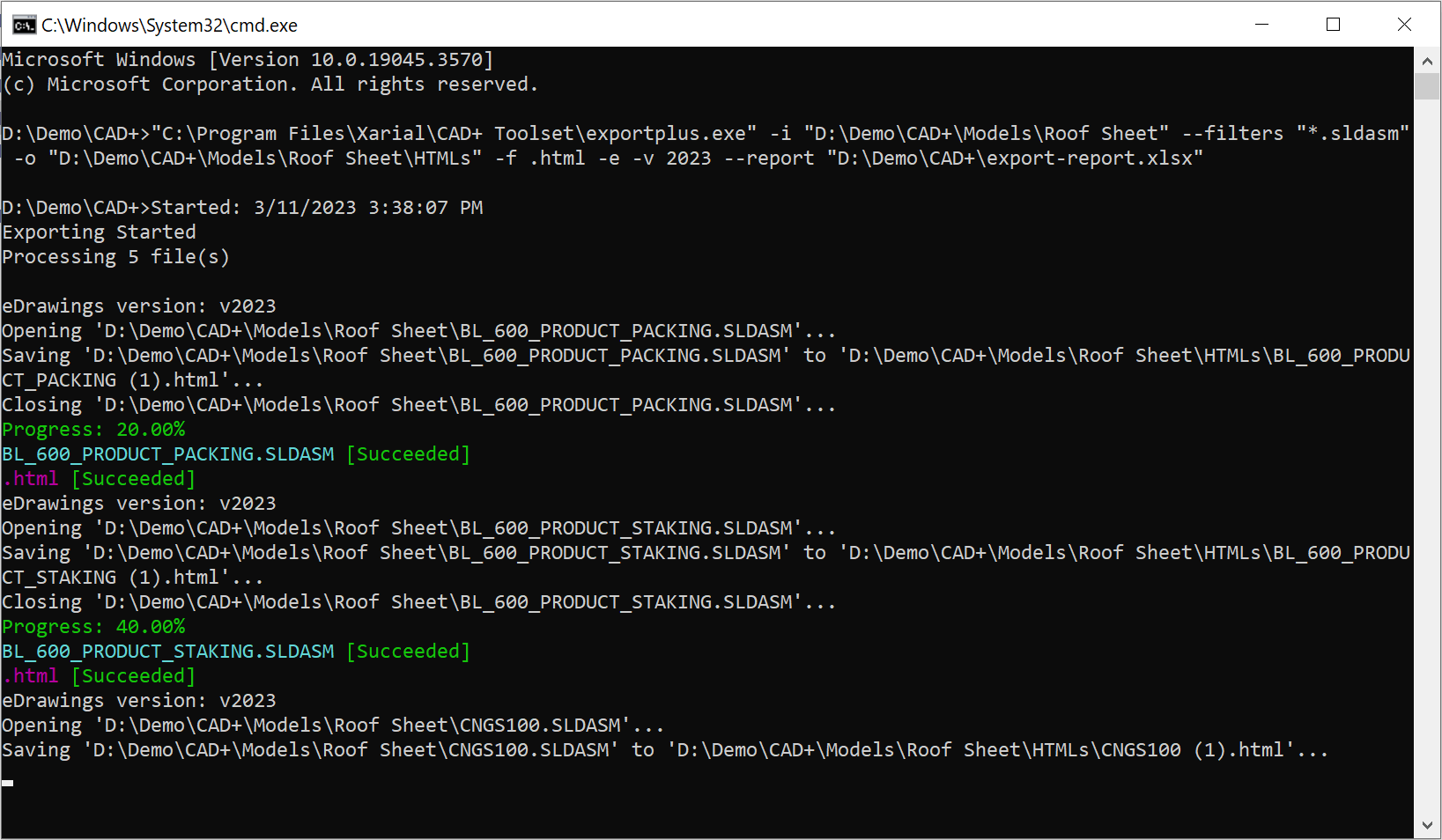
eXport+ can be executed from the command line. This is especially useful when the export functionality needs to be integrated into an automation workflow.
Navigate to exportplus.exe file in the installation folder (usually C:\Program Files\Xarial\CAD+ Toolset\exportplus.exe).
Refer to the list of available arguments below. Use the -- prefix to specify arguments. Use the --help argument to display help in the console.
For example, the command below will export all drawing files (*.slddrw) from the D:\Input Files folder to html and pdf formats, into the same folder as the original files. The export operation will ignore errors and continue with the next file, with a timeout of 2 minutes (120 seconds).
> exportplus.exe -i "D:\Input Files" -f html pdf --filters *.slddrw -e -t 120
| Short Flag | Flag | Required | Summary |
|---|---|---|---|
| -i | --input | Yes | List of input directories or file paths to process. These are files which can be opened by eDrawings (e.g. SOLIDWORKS files, CATIA, STEP, DXF/DWG, etc.) |
| -p | --filter | No | Filter to extract input files, if input parameter contains directories |
| -o | --out | No | Path to the directory to export results to. Tool will automatically create directory if it doesn’t exist. If this parameter is not specified, files will be exported to the same folder as the input file |
| -f | --format | Yes | List of formats to export the files to. Supported formats: .jpg, .tif, .bmp, .png, .stl, .exe, .htm, .html, .pdf, .zip, .edrw, .eprt, and .easm. Specify .e to export to the corresponding format of eDrawings (e.g. .sldprt is exported to .eprt, .sldasm to .easm, .slddrw to .edrw). If this parameter is not specified then file will be exported to eDrawings. PDF format is only supported on Windows 10 |
| -c | --confsOrSheets | No | If specified all configurations or sheets will be processed |
| -n | --name | No | List of naming templates supporting placeholders. Default: { path [FileNameWithoutExtension] }{ index [("{0"})] [True] } |
| -t | --toplevelfiles | No | Option to only process top-level files in the specified folders |
| -w | --overwrite | No | Allow overwriting target files if they already exist. Default is false |
| -e | --error | No | If this option is used export will continue if any of the files or formats failed to process, otherwise the export will terminate |
| -t | --timeout | No | Timeout in seconds for processing a single item (e.g. exporting single file to a single format) |
| -v | --appversion | No | Version of eDrawings to run (expected values 2019, 2020, 2021) |
| --report | No | Path to the output report file | |
| --log | No | Path to the output log file |