
Macro+ framework for managing VBA macro arguments in CAD+
Macro+ framework enables the communication between the macro and the running environment. Currently, Macro+ framework is enabled in the following modules:
Macro+ can be accessed from VBA macros and .NET xCAD macros. In both cases the same functionality is available:
- Reading the arguments passed by the user
- Accessing the pointer to the document the macro is run on
- Creating the result files
- Setting the custom user result
- Logging the message
- Logging trace message
- Reporting the issues (error, warning, comment)
Find examples of Macro+ here
Arguments
You can pass custom arguments to the macro via the Macro+ framework. An argument can be either static text or an expression that is resolved at runtime
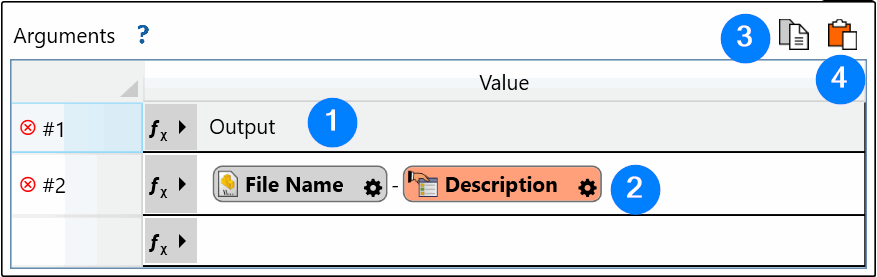
- Free text argument
- Arguments with variables in the Expression Box control
- Copy the arguments to the clipboard
- Paste arguments from the clipboard