
Managing user modules, trusted folders and publishers in CAD++
Extensibility Manager is available in the CAD+ menu under the ?->CAD++...
Managing User Modules
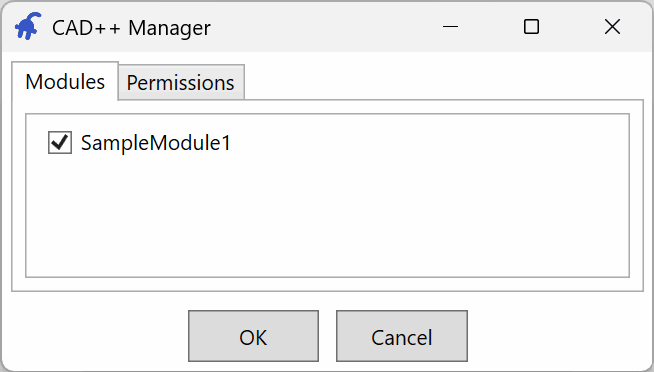
User modules are loaded from the trusted user module locations. Modules can be individually loaded and unloaded in the Modules tab
Managing Permissions
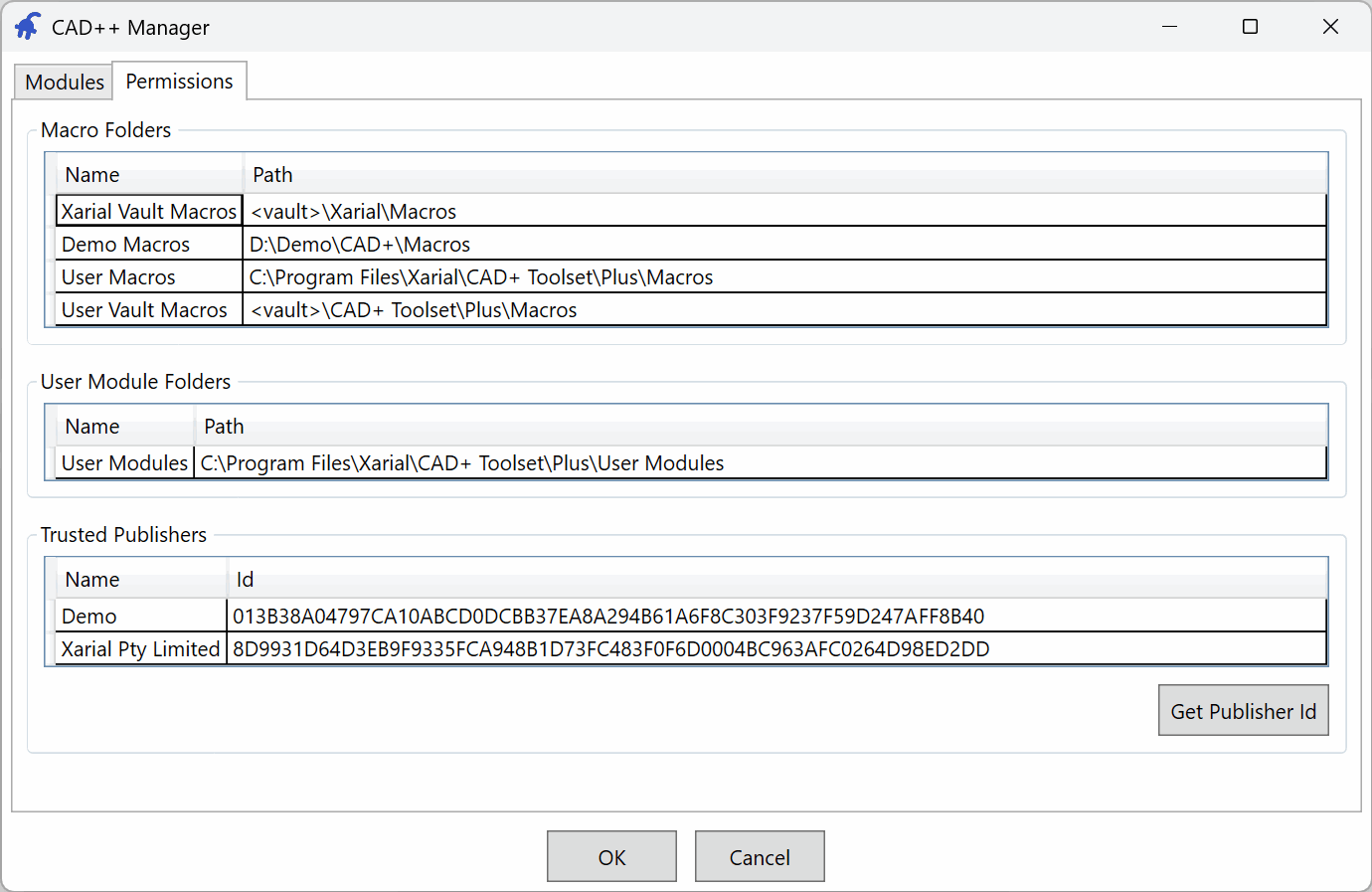
Permissions tab manages the list of folders for user modules and macros as well as trusted publishers. List can be modified by administrators by changing the registry values in HKEY_LOCAL_MACHINE\SOFTWARE\Xarial\CAD+ Toolset\Extensibility
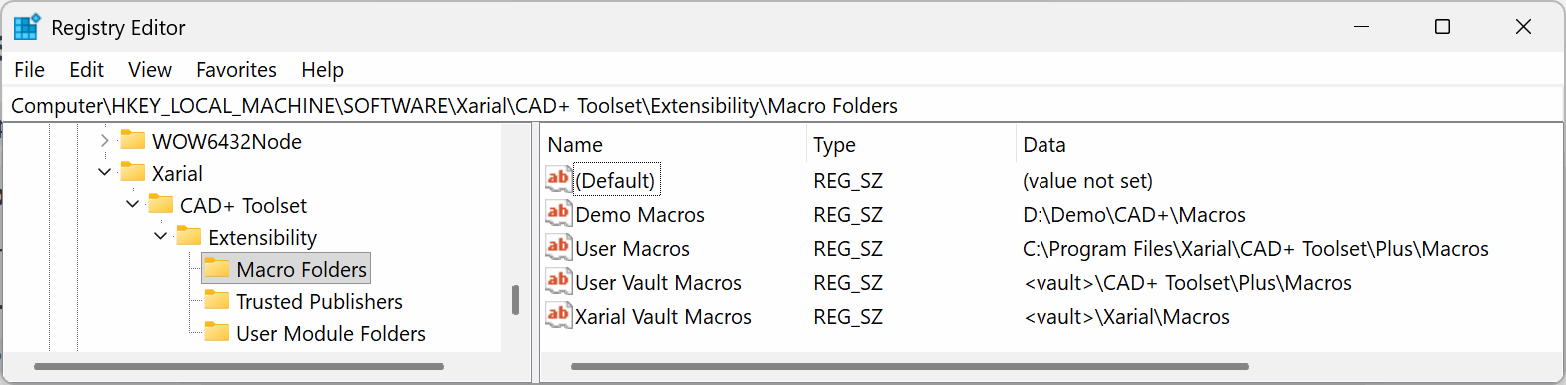
Use the <vault> placeholder to specify trusted macro folders for Batch+ for PDM
By default, the trusted folders for macros and user modules are set to
- C:\Program Files\Xarial\CAD+ Toolset\Plus\Macros
- C:\Program Files\Xarial\CAD+ Toolset\Plus\User Modules
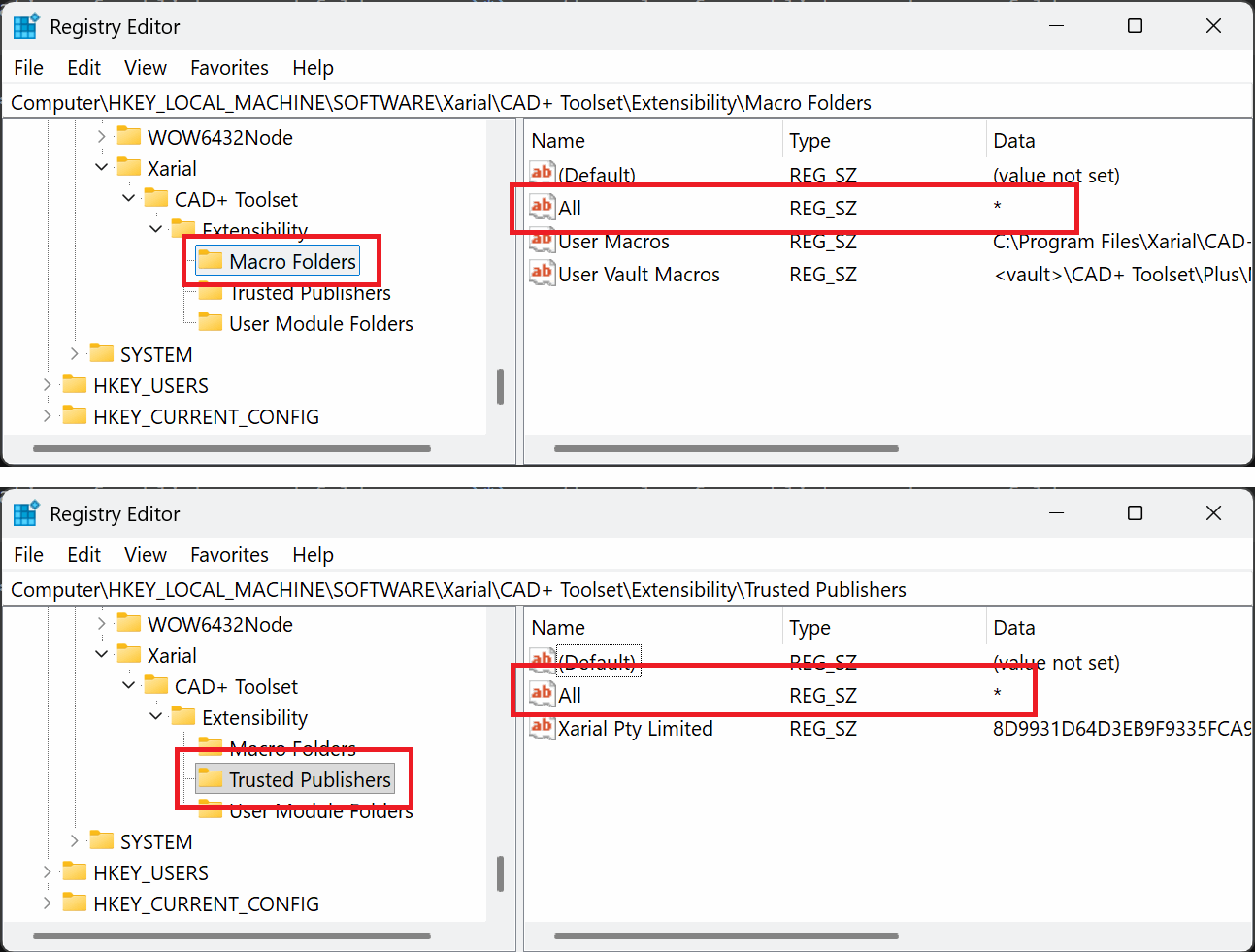
In order to skip validation of publishers and folders and allow all use * as the value for publisher and macro folder respectively.
The Get Publisher Id button helps you find the publisher ID from an input certificate file